

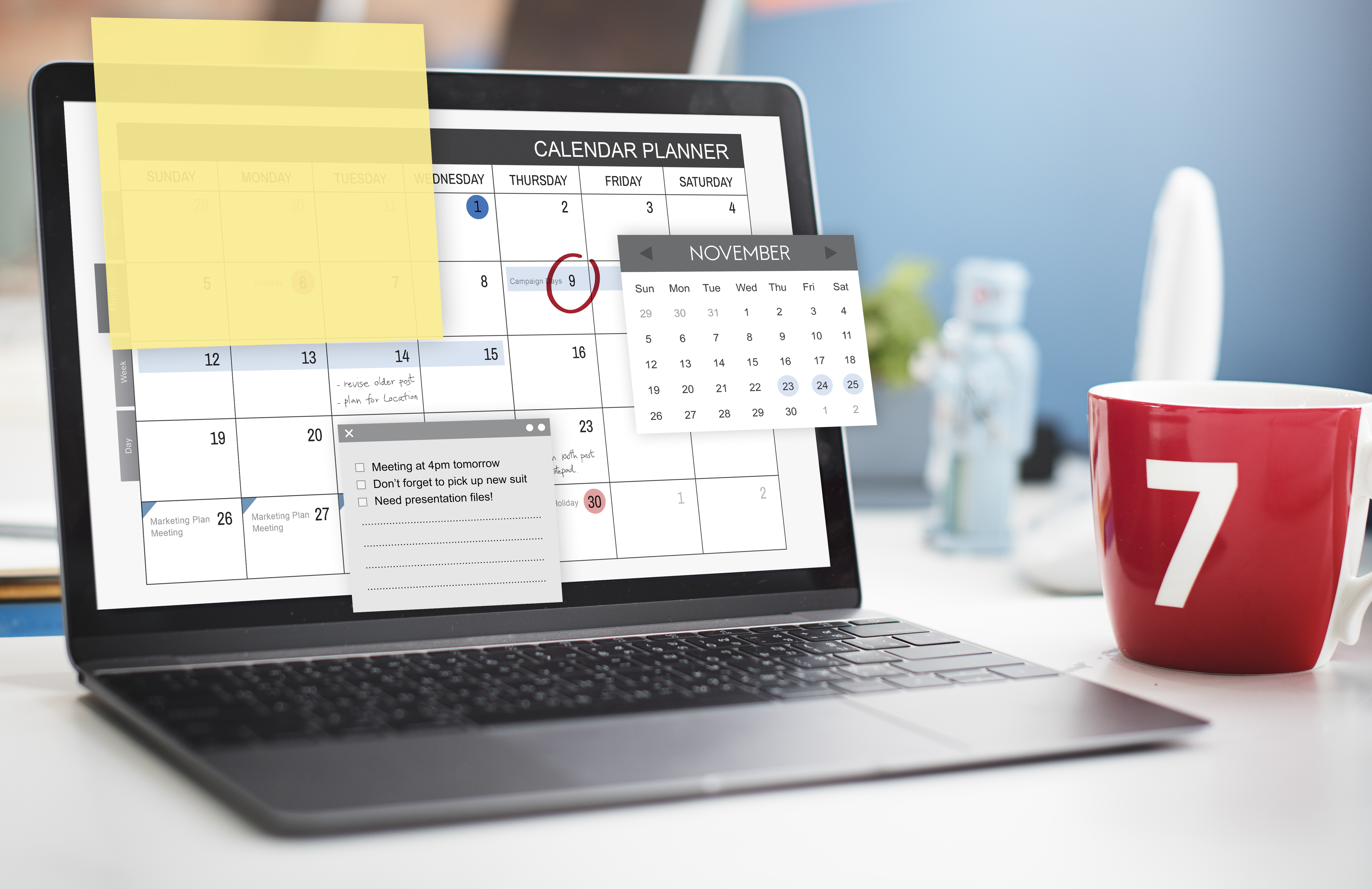
Let’s be honest about something. The actual work, the part you went into business to do, is probably the smallest slice of your day. The rest of it is coordination. Confirmations. Reminders you sent manually because you were nervous about a no-show. Rescheduling conversations that took four messages when they should have taken one. Blocking off time on three different calendars and still ending up with a conflict somehow.
Nobody opened a salon or a wellness practice or a studio space because they wanted to spend their afternoons managing a booking inbox. But here we are.
Appointment scheduling automation is the part of the answer that doesn’t get enough airtime. Not because it’s complicated or expensive or only available to businesses with a dedicated operations person. Because people assume it’s more than it is, or less useful than it actually turns out to be once it’s running.
So let’s talk about what it actually does, what it changes in practice, and why the businesses that adopt it tend to wonder pretty quickly how they managed without it.
What “Automation” Actually Means Here
The word gets thrown around loosely, so it’s worth being specific. Appointment scheduling automation doesn’t mean robots are running your business. It means your booking system is handling the repetitive, predictable tasks that eat your time without requiring any judgment from you.
A client finds your booking page, picks a time, pays if you require a deposit, gets a confirmation, and receives reminders as the date gets closer. You weren’t involved in any of that. You didn’t send a message. You didn’t check anything. It just happened.
That’s the baseline. An automated booking system can do more than that. It can enforce your cancellation policy automatically so you’re not the one having that conversation. It can collect intake information before someone arrives, so you walk in already knowing what you need to know. It can sync in real time with your calendar, so a slot that’s unavailable is actually unavailable, not just unavailable until someone books it anyway, because the system didn’t update.
The through line in all of it is the same. The system handles coordination. You handle the work. That division of labor is what changes things.
The Time You’re Actually Spending Right Now
Here’s an exercise worth doing once.
Pick a week and count the number of individual admin touches that surround each appointment. The confirmation you sent. The reminder you followed up with. The rescheduling thread ran back and forth. The question someone asked was about parking or what to bring. The no-show you had to follow up on and decide what to do about.
Two minutes here. Three minutes there. Across fifteen or twenty appointments in a week, it adds up faster than it should. And none of those minutes were spent doing the thing you’re actually good at and actually get paid for.
Scheduling automation software doesn’t shave a few seconds off each task. It removes entire categories of work from your week entirely. That time doesn’t vanish into some productivity metric. It shows up as a lunch break you actually take, an extra appointment slot you can offer, or an end of day that doesn’t start with catching up on messages from the afternoon.
Reminders Are Where the ROI Shows Up First
If you’re skeptical about scheduling automation and want the one piece of evidence that tends to move people, this is it.
No-shows cost service businesses real money on a regular basis, and the genuinely maddening part is that most of them aren’t intentional. Someone booked four weeks ago, fully planning to come. Then life got busy. The appointment drifted out of their mind the way things do. And they just didn’t show up. Not malicious. Not disrespectful. Just human.
Automated appointment reminders solve that specific problem directly. A message goes out the day before. Another goes out a few hours before. The client is reminded that the appointment exists, given an easy way to confirm or flag if something has changed, and the no-show rate drops. This isn’t a theoretical benefit. It’s one of the most consistently documented effects of booking automation across every kind of service business.
Add a deposit requirement at the point of booking, and the improvement is even more pronounced. There is a real behavioral difference between someone who has paid to hold a slot and someone who hasn’t. The person who paid shows up. For anyone running a salon suite for rent or managing a space where a missed appointment isn’t just an inconvenience but an actual revenue loss, this combination works in a way that’s hard to replicate with manual follow-up. Your Clients Notice Too
This is the part of the conversation that gets skipped most often, and it really shouldn’t.
Automation isn’t just about making your life easier. It makes the experience of booking with you better for the people booking. They can do it at midnight when they remember they need an appointment. They don’t have to wait for you to respond before they know if a time is available. Confirmation arrives immediately. Reminders show up without them having to ask.
That reliability matters more than most people give it credit for. It signals that you’re organized, that you take their time seriously, and that working with you is going to be a professional experience. First impressions happen on booking pages now, often before any real interaction takes place, and a smooth process sets the tone before anyone has even walked through your door.
If you want to go deeper on what a genuinely good client booking experience looks like and what features make it possible, this guide on key features to look for in appointment scheduling software is worth reading before you evaluate any platform.
What Automation Looks Like Across Different Setups
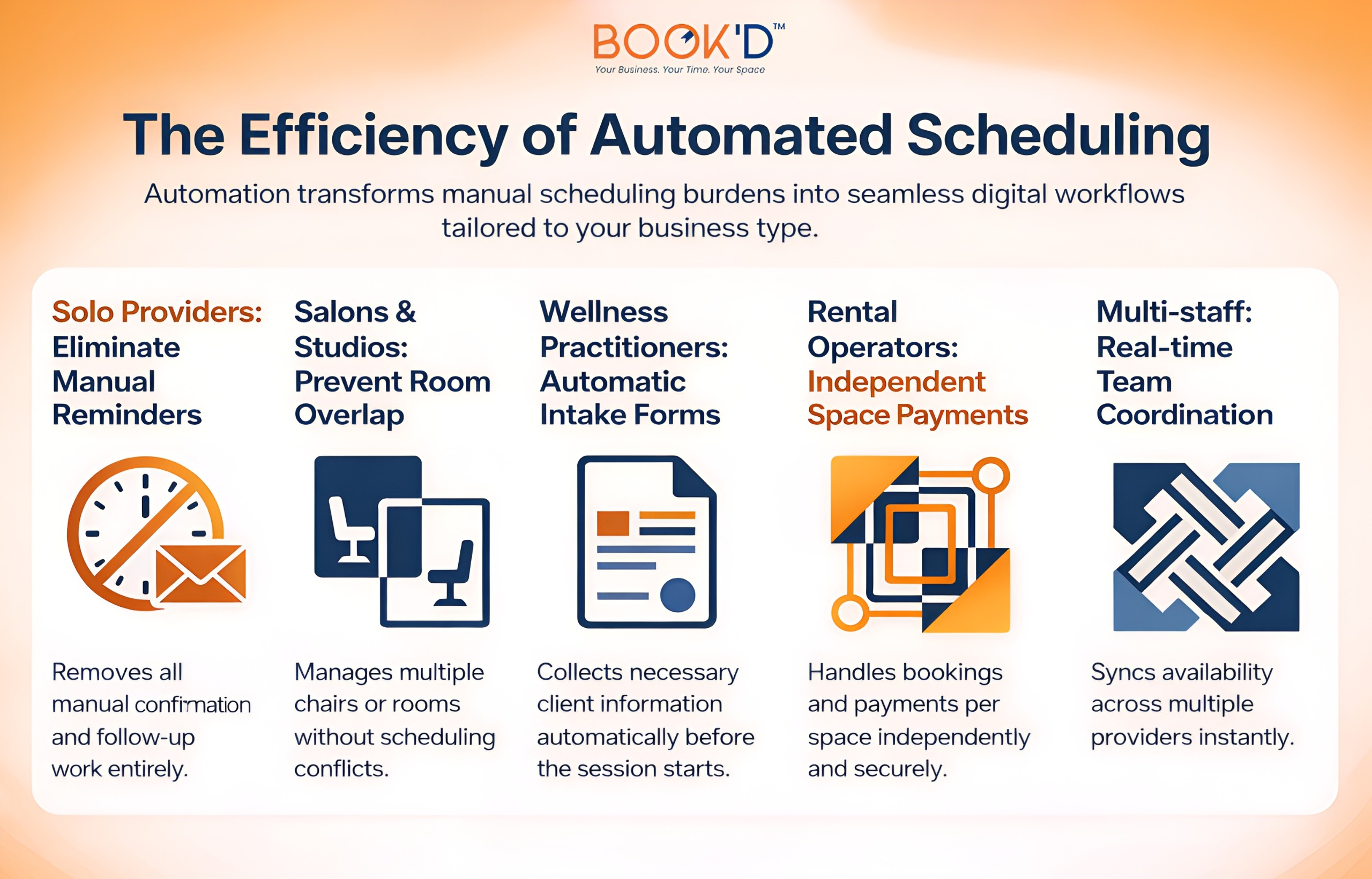 The specifics vary depending on how your business is structured. The core benefit doesn’t.
The Features That Actually Determine Whether It Works
Not all scheduling automation software is built the same, and the difference tends to live in the details nobody highlights during a demo.
Real-time calendar sync is the one that causes the most pain when it’s missing. Your booking system and your actual calendar need to be talking to each other constantly. When they aren’t, you’re managing two separate versions of your schedule, and they will eventually disagree at exactly the wrong moment.
Buffer time between appointments sounds minor until you’ve run a full week without it. Fifteen minutes to reset, write a note, and collect yourself before the next person arrives. That’s not padding. That’s what keeps a busy week from becoming an exhausting one.
Payment collection at booking matters in a way that goes beyond cash flow. For anyone operating a studio space for rent or any kind of bookable space, getting a deposit up front changes the commitment level of the booking. Paid appointments get honored. Unpaid ones get forgotten.
And policy enforcement needs to happen automatically, or it effectively doesn’t happen. If your cancellation window only gets enforced when you notice and decide to say something, it’s not really a policy. When the system handles it, clients learn quickly that the terms are real and they book accordingly.
Busy and Productive Are Not the Same Thing
There’s a version of a full schedule that still feels like chaos. Constant interruptions. Messages arriving midappointment. Small tasks that are never fully cleared. You’re booked solid and somehow still behind.
That’s not a capacity problem. That’s a coordination problem. And automation is the fix for coordination problems.
When the system is managing the logistics, a full week feels different. You show up, you do the work, you leave. The gaps between appointments aren’t swallowed by the admin. The end of the day isn’t a catch-up session. The schedule runs the way a schedule is supposed to run.
That’s the productivity improvement that doesn’t show up in a feature list but is the most felt in actual day-to-day life. It’s not about doing more. It’s about the work you’re already doing, landing differently because you’re not carrying a pile of small tasks alongside it every hour of the day.
Scheduling is supposed to be one of the simpler parts of running a service business. When it isn’t, everything else gets harder. That’s the problem Just-Booked is built to solve, and automation is how it does it.
Slight Comparison:
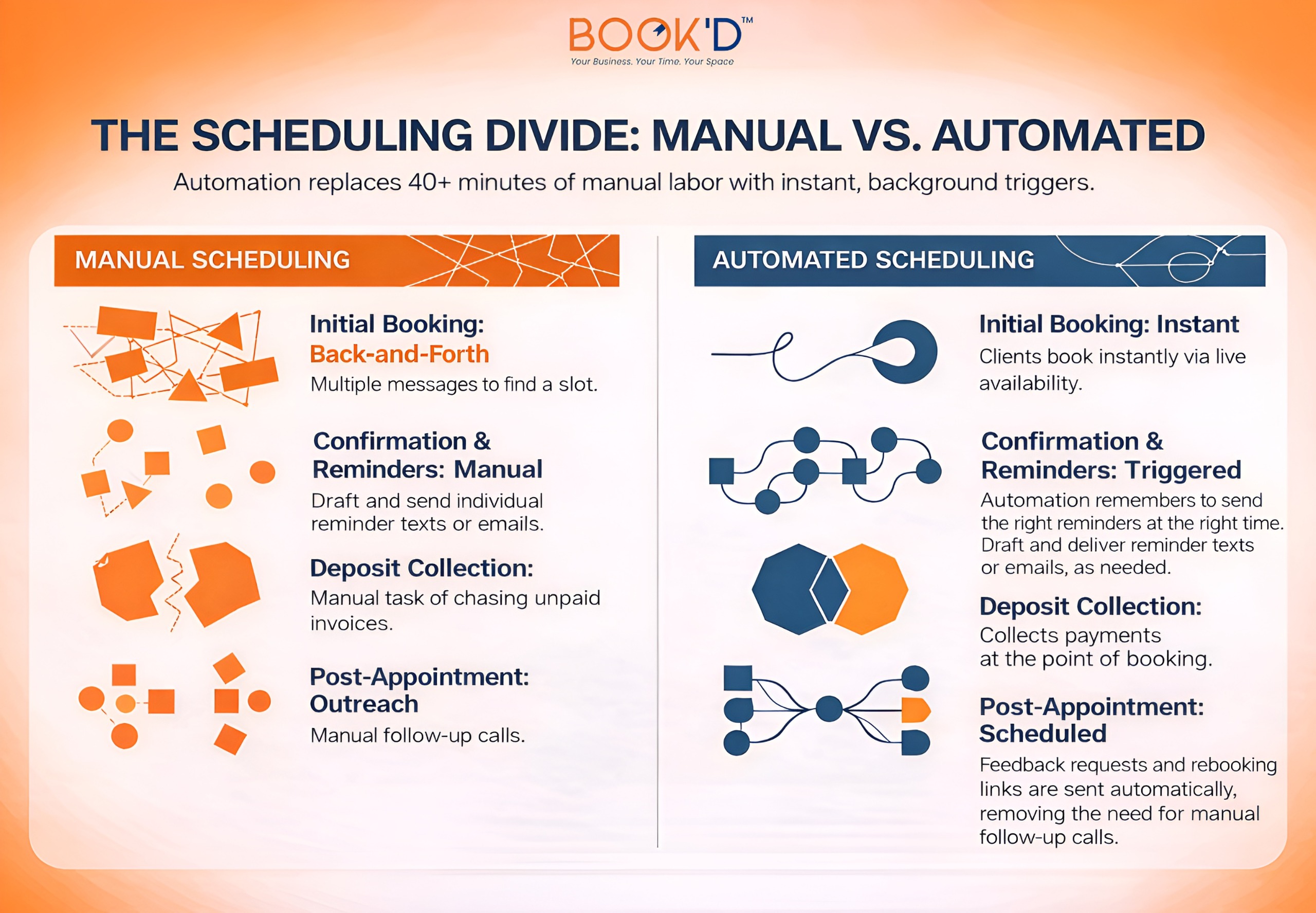
FAQs
What is appointment scheduling automation?
It’s software handling the repetitive coordination tasks around bookings without you having to do them manually. Confirmations, reminders, payment collection, calendar syncing, policy enforcement. All of it runs automatically once the system is set up. The goal is to keep your time focused on the actual service rather than the administrative surrounding it.
How does scheduling automation reduce no-shows?
Mostly through automated appointment reminders sent at timed intervals before each booking. The majority of no-shows happen because people forget, especially for appointments booked weeks in advance. A well-timed reminder closes that gap significantly. Pair it with a deposit requirement at booking, and the effect is even more pronounced because there’s now a financial commitment tied to the slot.
Is scheduling automation worth it for solo providers?
Genuinely yes, and often more so than for larger operations. Solo providers carry every administrative task themselves, so removing the manual work from scheduling has a proportionally bigger impact on their available time. Even just automating confirmations and reminders frees up hours across a full week that were previously spent on tasks that added nothing to the actual work.
What should I look for in an automated booking system?
Real-time calendar sync, customizable availability and buffer times, automated reminders via both SMS and email, deposit and payment collection at booking, and automatic policy enforcement are the features that deliver the most practical day-to-day value. How the booking page works on mobile matters too, since the majority of clients are booking from their phones.
Can scheduling automation handle multiple staff or spaces?
Many platforms can, but the quality of how they do it varies more than you’d expect. If you manage multiple providers or bookable spaces, look specifically for resource-level availability tracking rather than just account-level scheduling. The best way to confirm a platform actually handles your setup is to test your specific scenario during a trial period before you build your whole workflow around it.